Forest App vs Group Study Timer
Forest keeps you off your phone by growing a tree while you work. Group Study Timer logs your hours by subject and puts you in a room with other people studying. Here's how they compare in 2026, and which one fits the way you study.
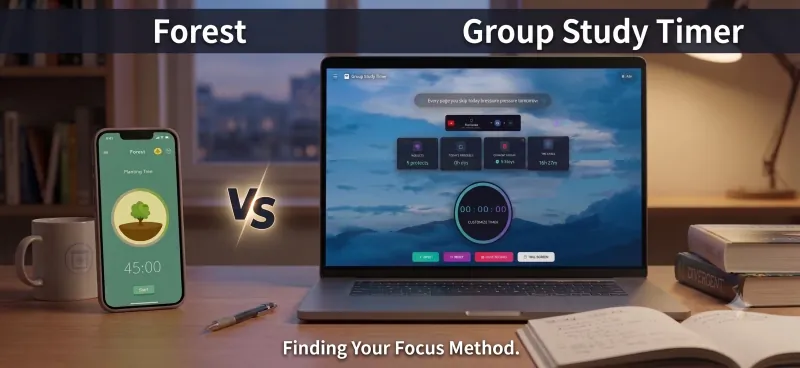
Forest and Group Study Timer get compared a lot, and at first glance they look alike: both give you a timer and a reason to keep going. They're built for different problems, though. Forest is designed to keep you off your phone. Group Study Timer is designed to show you where your study hours go and to let you study alongside other people.
We make Group Study Timer, so we've tried to be fair. Every detail about Forest below comes from Forest's own website and its App Store, Google Play and Chrome Web Store listings, checked in late September 2026. Where Forest is the better tool, we say so.
Choose Forest if your phone is what breaks your focus. It can block other apps during a session, it works offline, and the core app is free on iPhone, iPad and Android. Choose Group Study Timer if you mostly study on a laptop and want your hours logged by subject, detailed stats without a subscription, and study rooms with live leaderboards in any browser. Plenty of students use both: Forest on the phone, Group Study Timer on the laptop.
Forest's pricing has changed
If you remember Forest as a paid iPhone app, that's out of date. Forest is now free to download on iPhone, iPad and Android. The one-time Pro upgrade that long-time users bought is no longer sold to new users, though anyone who already has it keeps it. The extras now come with an optional subscription called Forest Plus, which you can try free first.
Forest says Plus prices vary by country and platform. As listed in the US App Store in September 2026, the subscription options were $5.99 a month, or $32.49 and $35.99 a year, all labelled Early Bird. On Google Play in the US, in-app items ranged from $0.99 to $59.99. The free version shows occasional ads, which Forest says never appear during an active focus session.
How Forest works
You choose a focus length and a tree, and the tree grows while you work. With Deep Focus on, Forest blocks your other apps for the session, and the only way out is to tap Give Up, which kills the tree. Finish the session and the tree joins your forest. Failed sessions stay too, as withered trees, so after a few weeks you have an honest picture of how your focus is going.
Forest is made by Seekrtech, an independent studio in Taiwan. It has been around since 2014 and says more than 60 million people have used it. Around the core timer, the free version includes:
- Deep Focus: app blocking during a session. A custom allow list, for apps you still need such as a dictionary, is part of Plus.
- Time Guard: app blocks on a schedule outside focus sessions, such as keeping social apps closed in the evening. Free covers one app or site, and Plus covers several.
- Plant Together: create a focus room, invite friends with a code, and everyone grows the same tree in a synced session. If anyone gives up, everyone's tree dies. iPhone and Android users can share a room.
- Friends and leaderboards: compare your focus time with friends and with users around the world.
- Tracking: your focus history by day, week, month and year, with sessions tagged by activity, such as Study or Work. Custom tags and the fuller Focus Analytics view are part of Plus.
- Sounds and rest: ambient sounds such as rain or cafe noise, and Mindful Space, a guided breathing break with calming sound. The free version includes one Mindful Space soundscape.
Completed sessions earn coins, which buy new tree species and sounds. The timer, tree growth and stats work without an internet connection, and your account syncs across iPhone, iPad, Android and Forest's Chrome and Firefox extensions. The extensions bring the timer and Deep Focus to desktop browsing. Forest doesn't offer a Windows or Mac app.
The real trees
Forest's real-tree planting is genuine and well documented. It works with Trees for the Future, a US-based nonprofit that trains farmers to plant trees as part of sustainable farming. The trees go in across Kenya, Senegal, Tanzania, Uganda and Cameroon, and Forest pays for them from app revenue.
When we checked in late September 2026, Forest's homepage counter showed 2,102,946 real trees planted, and the Trees for the Future page for Forest showed 2,153,829 trees funded. Plus subscribers, and people who bought Pro before it was withdrawn, can spend coins earned from focusing to plant up to five real trees per account. Forest says there's no GPS verification of individual trees; Trees for the Future publishes regional impact reports instead.
It's a nice bonus, and a good reason to feel better about your screen time. It won't change how well you study, though. The parts that help your focus are the virtual tree and the blocking.
How Group Study Timer works
Group Study Timer is a free online study timer that runs in the browser on any device, so there's nothing to install. You pick a timer (Pomodoro at 25/5 or 50/10, a 1-hour or 2-hour block, or your own length), choose the subject, and start. Every session is logged by subject, and the numbers build into streaks, a heatmap, and daily and weekly analytics.
The social side is the main difference. You can open a private study room and share its join code with friends, or join a public group for your exam from the communities page. Everyone in a group appears on a live leaderboard, and idle detection pauses the clock when nobody is really there, so the rankings stay honest. There's a group chat for the breaks, a to-do list, syllabus trackers, wallpapers, and a Focus Audio player where you can search for study music or paste a YouTube link. Our page on studying with friends online explains how the rooms work.
It has limits you should know about. It can't block other apps, because it runs in a browser tab, and there's no app-store app. Most of it is free, and an optional Premium plan adds extras such as AI analysis, animated backgrounds and custom group codes.
Forest vs Group Study Timer at a glance
Forest details are from its website and US store listings, checked in September 2026.
| Feature | Forest | Group Study Timer |
|---|---|---|
| Main idea | Grow a tree by staying off your phone | Log study hours by subject and study in groups |
| Where it runs | iPhone, iPad and Android apps, plus Chrome and Firefox extensions | Any modern browser on a phone, tablet or computer |
| Install | App download, listed at 885.7 MB on the App Store | Nothing to install |
| Blocks other apps | Yes, with Deep Focus during sessions and Time Guard on a schedule | No, it runs in a browser tab |
| Timer | Countdown or stopwatch, Pomodoro-style | Pomodoro 25/5 and 50/10, 1-hour, 2-hour and custom |
| Tracking | Focus history by day, week, month and year, with tags. Custom tags and Focus Analytics need Plus | Hours by subject, streaks, a heatmap, and daily and weekly analytics |
| Studying with friends | Plant Together rooms with a shared tree, plus friends and global leaderboards | Private rooms with join codes, public groups, group chat and live leaderboards with idle detection |
| Without internet | Timer, trees and stats keep working | Rooms, chat and leaderboards need a connection |
| Extras | Ambient sounds, Mindful Space breathing breaks, Apple Health sync on iPhone | Focus Audio player, wallpapers, to-do list and syllabus trackers |
| Real trees | Yes, through Trees for the Future | No |
| Price | Free with ads. Forest Plus from $5.99 a month in the US App Store | Free. Optional Premium adds extras such as AI analysis, animated backgrounds and custom group codes |
Which one should you use?
Forest is a good app, and for some students it's the better choice. Here's how we'd decide.
Forest is the better pick if
- Your phone is the problem. If you pick it up without thinking, blocking works better than willpower, and Group Study Timer can't block anything.
- You study mostly on your phone or tablet. Forest is built for mobile first, and it's a polished app.
- You often study without a connection. Forest's timer, trees and stats keep working offline, on a train or in a library basement.
- You're motivated by collecting things. Growing a forest, earning coins and adding new species is a satisfying loop, and a withered tree in your forest is a small but real sting.
- You want a shared stake with a friend. In Plant Together, one person giving up costs everyone their tree. For two friends who keep distracting each other, that can work better than a leaderboard.
- You like the idea of your focus paying for real trees. Forest's partnership with Trees for the Future is long-running and publicly documented by both sides.
Group Study Timer is the better pick if
- You study on a laptop or desktop. Group Study Timer is a full study app in any browser, on Windows, Mac or a Chromebook. On a computer, Forest is a browser extension.
- You want to know your hours by subject. Subject tracking, streaks, the heatmap and daily and weekly analytics are free. In Forest, custom tags and the full analytics view need Plus.
- You want company for a long session. A room with a live leaderboard and a chat for the breaks can keep you going through a whole evening, not just one session, and public groups let you find people preparing for the same exam.
- Your group uses different devices. Friends on any device can join your room with the code, with nothing to install.
- You want planning tools in the same place. A to-do list and syllabus trackers sit next to the timer, so you can see what's left as well as what you've done.
If you're weighing up other study apps too, our roundup of the best study timers in 2026 covers more options, and our YPT comparison looks at another popular study-together app.
Or use both
The two barely overlap, so using both is common and easy. A typical evening looks like this:
- Open Group Study Timer on your laptop, join your room and start a 50/10 Pomodoro on the subject you're working on.
- Start a Forest session of the same length on your phone with Deep Focus on, then put the phone out of reach.
- In the break, check the room chat on your laptop instead of picking up your phone.
Forest keeps the phone quiet, and Group Study Timer records what you actually studied. At the end of the week you have a forest and a subject-by-subject breakdown of your hours.
Try the laptop half of the setup
Start a Pomodoro, log the subject, and invite a friend to your room. It runs in your browser, with nothing to install.
Start a Study Session →Frequently asked questions
Is Forest free?
Yes, the core app is free on iPhone, iPad and Android, including the focus timer, Deep Focus app blocking and Plant Together. The free version shows occasional ads outside focus sessions. Forest Plus is an optional subscription for extras such as custom allow lists, Focus Analytics and exclusive trees. In the US App Store in September 2026 it was listed from $5.99 a month.
Is Forest still a one-time purchase?
Not any more. Forest Pro, the old one-time upgrade, is no longer sold to new users, although people who bought it keep it. New users can stay on the free version or subscribe to Forest Plus, which can be tried free first.
Is there a Forest app for PC?
Forest doesn't offer a Windows or Mac app. On a computer it runs as a Chrome or Firefox extension, which brings the timer and Deep Focus to your browser. If you want a full study timer with subject tracking and study rooms on a laptop, a browser-based tool like Group Study Timer is an alternative.
Does Forest really plant real trees?
Yes. Forest partners with Trees for the Future, a nonprofit that plants trees with farmers in Kenya, Senegal, Tanzania, Uganda and Cameroon, and Forest pays for the planting from app revenue. Forest says its users have helped plant more than 2 million real trees. Plus subscribers can spend coins to plant up to five real trees per account.
Can you use Forest with friends?
Yes. With Plant Together you create a focus room, invite friends with a code, and everyone grows the same tree during a synced session. If anyone gives up, everyone's tree dies. Forest also has friends and global leaderboards.
Can Group Study Timer block apps like Forest does?
No. Group Study Timer runs in a browser tab, so it can't block other apps on your phone or computer. If you need blocking, run Forest or your phone's own focus settings alongside it, or leave your phone in another room while you study.
Forest and Group Study Timer are good at different things. Forest is the stronger choice when your phone is the distraction, when you study on mobile, or when you need to study offline. Group Study Timer is the stronger choice when you study on a laptop, want your hours by subject without a subscription, and want a room of people studying with you. If both problems sound familiar, run them side by side.
Sources we checked in September 2026: Forest's official website, including its plans and FAQ, Forest on the US App Store, Forest on Google Play, the Forest extension on the Chrome Web Store, and Trees for the Future's page on Forest. App details and prices change and vary by country, so check each app before you pay for it.